






How to Check AI-Generated Community Videos Before Publishing Them Online

A short video made for a birthday, local event, school activity, association, or community campaign can move from a private group chat to public soci…
A short video made for a birthday, local event, school activity, association, or community campaign can move from a private group chat to public social media within minutes. AI tools make that process even faster because a few photographs can now become animated performances without filming a conventional video. Speed creates a new editorial problem, however: a clip may be entertaining while still containing distorted faces, misleading context, awkward wording, or material that one of the people shown never agreed to publish. Once the video is shared publicly, correcting those problems becomes much harder.
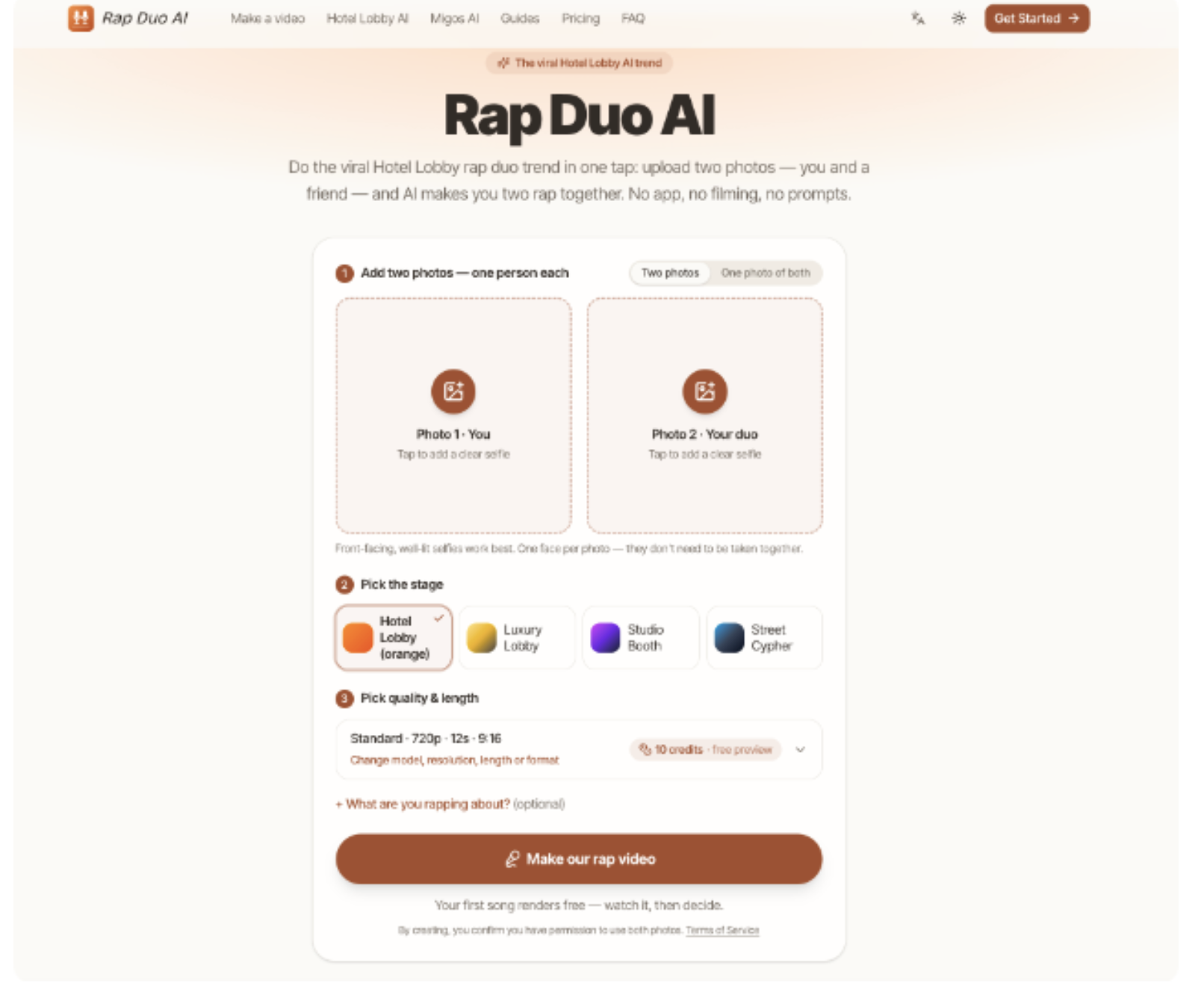
Generic advice such as “check the video before posting” does not solve that problem because it gives no standard for deciding what should actually be checked. A better workflow separates permission, source-image quality, generated content, and publication context before a clip reaches social media. For example, a creator exploring a two-person performance can use Rap Duo AI to turn two supplied photos into a short AI-generated rap video, but generation should remain only one step in the process. The following workflow explains how to prepare the material, inspect the result, identify risky defects, and make a defensible publish-or-revise decision.
Confirm Permission and Context First
Before uploading a photograph, establish whether the people shown have agreed to the intended use. Permission to possess a photograph is not automatically the same as permission to transform it into an AI video and publish that result publicly.
The simplest rule is to define three permissions separately:
-
permission to use the original photograph;
-
permission to transform the person's appearance into generated video;
-
permission to publish the resulting clip on the intended channel.
This distinction becomes especially important for community organizations, schools, clubs, workplaces, and events involving people who may not expect their images to become entertainment content.
Context matters as much as permission. Write one sentence describing what viewers should understand when they see the clip. If that sentence sounds like a factual record of something that never occurred, change the framing.
Risky framing: “Our team performed this rap at Saturday's event.” Clear framing: “We turned two team photos into an AI-made rap clip after Saturday's event.”
That small difference prevents generated material from being mistaken for documentary footage.
Once permission and context are clear, you can safely move to the technical quality of the inputs.
Prepare Photos That Reduce Visual Ambiguity
Clear permissions do not guarantee a usable result. Poor source photographs introduce ambiguity that the generation process must somehow resolve, often producing unnecessary identity or motion problems.
Start by evaluating each person separately. A practical source photograph should make the main facial features easy to distinguish without requiring interpretation. For a two-person clip, consistency between the two photographs also helps: one tightly cropped professional portrait paired with a distant, dark group photo creates an avoidable mismatch.
Before generation, reject or replace images with:
-
severe blur or compression;
-
faces hidden by hands, hair, masks, or heavy shadows;
-
several people when only one person should be used;
-
extreme side profiles when a clearer frontal image is available;
-
very different crops that make one person's face much larger than the other's.
A useful test is to view each image as a small thumbnail. If you cannot immediately identify the intended face and its main features, the generator is receiving weaker information than necessary.
This preparation also gives you a debugging advantage. Keep the original files and label them Person A and Person B. If only one identity becomes unstable later, you can replace one source rather than changing the entire setup and losing your comparison point.
With cleaner inputs, the generated video becomes much easier to judge.
Generate One Controlled Version Before Experimenting
Because the inputs are now stable, the first generation should be deliberately simple. Avoid changing several creative choices at once. Your first render is a baseline, not necessarily the final version.
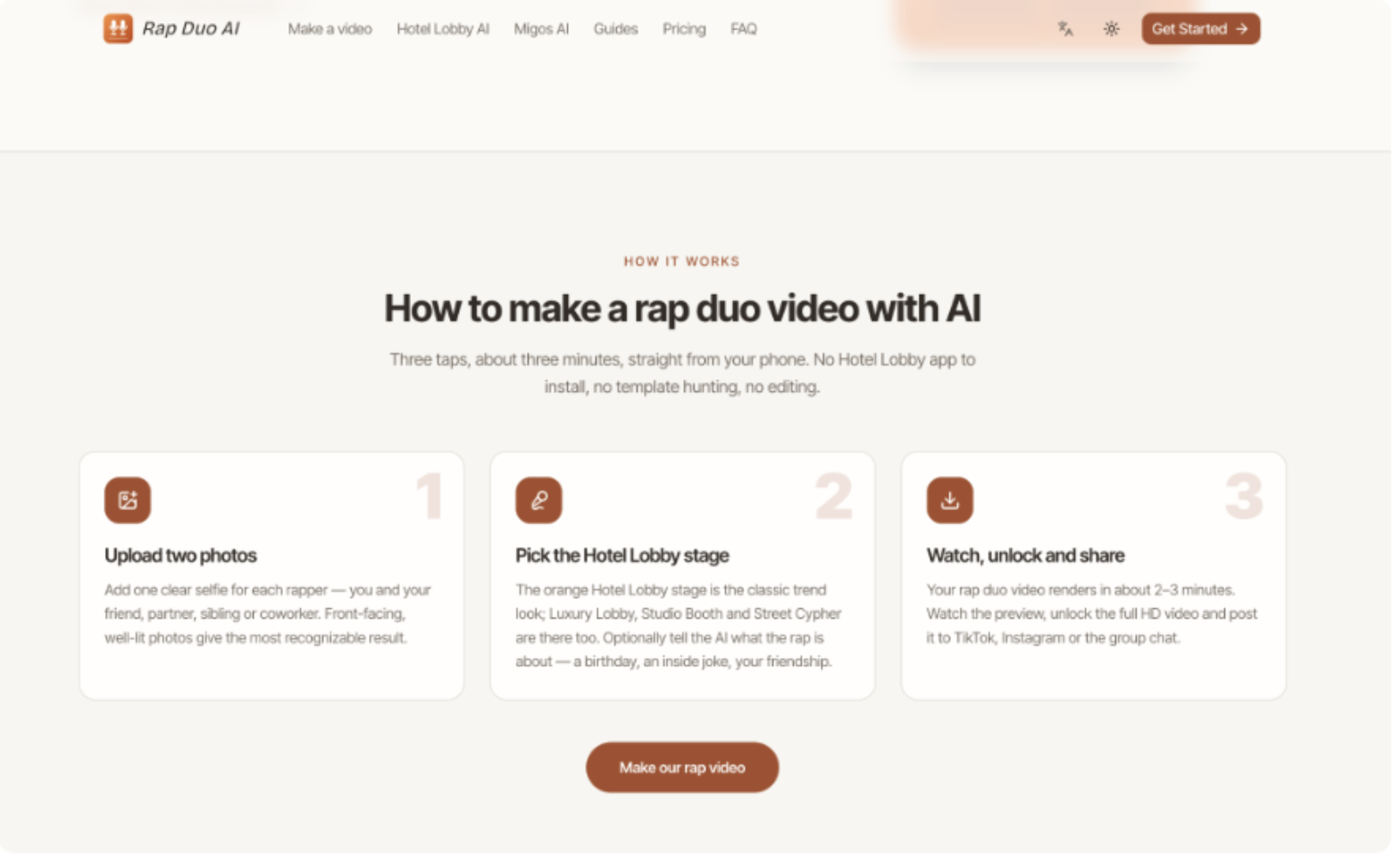
If the intended format is a playful two-person rap performance, Rap Duo Video AI can be used at this stage by adding clear photos of the two participants, selecting a stage, choosing the available video settings, and entering a concise occasion or topic when appropriate. After generation, review the finished output before deciding whether it is suitable for publication.
Keep the topic narrowly defined. Compare these two inputs:
Weak input: “Make something hilarious about our town, football, birthdays, work, our friends, last summer and everything we always joke about.”
Better input: “A friendly birthday rap for Daniel's 30th, mentioning his habit of arriving early.”
The second version gives the generation process a clearer boundary and makes factual or inappropriate additions easier to identify.
Before retrying anything, record what created the baseline:
-
Person A source image.
-
Person B source image.
-
Selected scene or stage.
-
Topic supplied.
-
Video format or quality setting.
That record turns the next generation into a comparison instead of another guess.
Inspect the Result in Four Passes
A baseline clip should not be evaluated with a single question such as “Does this look good?” Instead, watch it several times with a different purpose on each pass.
Pass one: identity. Ignore the background and watch each face. Look for sudden changes in facial structure, age, hairstyle, skin details, or other recognizable characteristics. A tiny momentary shift may be tolerable for a casual private clip, while a clearly different-looking face should block public publication.
Pass two: motion. Watch hands, shoulders, mouths, and transitions. Pay particular attention to moments where the camera or performer moves quickly because temporal defects often appear between attractive still frames.
Pass three: content. Listen to the lyrics or generated speech without concentrating on the visuals. Flag invented facts, insulting references, incorrect names, or wording that could be interpreted differently outside the creator's private context.
Pass four: audience interpretation. Finally, watch the clip as somebody who knows nothing about how it was made. Ask:
-
Could this reasonably be mistaken for real recorded footage?
-
Does the caption make the AI-generated nature clear when clarification is needed?
-
Could a joke embarrass someone outside its original private context?
-
Does the clip imply an endorsement, statement, or action that never occurred?
A video should move forward only when all four passes are acceptable.
Fix the Specific Failure, Not Everything
Those four passes also tell you what to change when the video fails. Randomly replacing every input may eventually produce something different, but it does not explain why the original failed.
Use the defect to select the next action. If Person B's face changes while Person A remains consistent, replace Person B's photograph only. If both identities are stable but a generated joke introduces an unwanted claim, preserve the photos and rewrite the topic. If the content works but movement becomes distorted, retry the generation before rewriting unrelated inputs.
This creates a simple decision rule:
-
Identity problem ? inspect or replace the relevant source image.
-
Content problem ? narrow or rewrite the topic.
-
Motion problem ? retry while holding other variables constant.
-
Context problem ? change the caption, framing, or publication decision.
After each revision, compare the new result with the baseline. Improvement means the target defect becomes smaller without creating a more serious new one.
Set a stopping condition as well. Once a clip preserves recognizable identities, contains acceptable wording, avoids disruptive motion errors, and can be published without misleading viewers, additional retries may produce difference rather than meaningful improvement.
Publish With a Repeatable Review Standard
A responsible AI-video workflow starts before any generation occurs. Confirm that the people depicted have agreed to the intended use, define how the clip will be presented, choose photographs that minimize ambiguity, and create one controlled baseline. Then inspect identity, motion, generated content, and audience interpretation separately. When something fails, change the input connected to that failure instead of restarting the whole process without a diagnosis.
The same method works beyond novelty performances. It can be applied to animated photographs, event clips, community campaigns, promotional experiments, or other generated media based on real people. The reusable principle is traceability: know which sources entered the process, what transformation was requested, what defects appeared, and why the final version was accepted. That small editorial discipline makes AI-generated media easier to correct before publication and easier to explain afterward, while keeping the creative process fast enough to remain useful.