






I Described the Same Scene to Five AI Music Tools and Got Radically Different Worlds

A creative director once told me that the best briefs paint a picture, not a list of specs. I wondered if AI music generators could handle that kind …
A creative director once told me that the best briefs paint a picture, not a list of specs. I wondered if AI music generators could handle that kind of input—not just “upbeat pop, 120 BPM, major key,” but a full sensory description like “a rainy Sunday morning in an old bookstore, the smell of paper and wet wool, someone quietly turning pages near the window.” So I designed a test around descriptive, scene-based prompts and ran them through five AI music platforms to see which one came closest to capturing the atmosphere I’d imagined. I didn’t expect precision; I wanted to know which tool felt like a collaborator that understood mood, and which one felt like a robot filling out a form. The first tool I fed my bookstore scene into was an AI Music Generator, and the result set an unexpectedly high bar for the rest of the field.
I prepared five scene prompts, each around 50 words, designed to evoke distinct emotional textures. They ranged from the bookstore interior to a “neon-lit street at 2 a.m. after a long conversation with an old friend,” from a “child’s first view of the ocean” to “an empty subway platform at dusk, with a distant busker playing a saxophone.” I didn’t specify genre, tempo, or instrumentation unless the scene demanded it. I simply pasted the scene description into each platform’s text prompt field and used whatever default settings the tool offered. Then I listened, closed my eyes, and rated each track on how well it matched the world in my head.
The results were wildly divergent. Some platforms ignored the scene entirely and defaulted to what I can only describe as “corporate presentation music”—clean, major-key, emotionally flat. One platform took my rainy bookstore and produced a bouncy electronic track with a four-on-the-floor beat, as if it had only processed the words “Sunday” and “bookstore” and decided that meant a brunch playlist. Another produced an ambient piece that was technically correct—piano, soft pads, rain-like white noise—but felt so generic it could have been the soundtrack to any meditation app. It matched the keywords without capturing the specific melancholy I’d tried to convey.
The AI Music Maker surprised me with its bookstore output. It generated a gentle, slightly out-of-tune upright piano melody, with the soft crackle of what sounded like vinyl surface noise underneath, and a sparse cello line that entered after about twenty seconds. The tempo was unhurried, the dynamics stayed quiet, and there was a sense of space in the mix that suggested a room rather than a studio. It wasn’t a masterpiece, but it felt like someone had read the brief and tried to translate a mood into music, not just a word cloud.
How Scene Interpretation Varied Across Platforms
I repeated the process for all five scenes across all five platforms, gathering 25 tracks. I then scored them on atmosphere accuracy, emotional nuance, and avoidance of generic defaults. The table below synthesizes those scores with my standard usability metrics.
|
Platform |
Atmosphere Accuracy |
Emotional Nuance |
Avoids Generic Default |
Workflow Efficiency |
Overall Score |
|
ToMusic AI |
8.5 |
8.0 |
8.5 |
9.0 |
8.6 |
|
Udio |
8.5 |
8.0 |
8.0 |
7.0 |
7.9 |
|
Suno |
7.0 |
7.5 |
6.5 |
7.5 |
7.1 |
|
Soundraw |
7.5 |
7.0 |
8.0 |
8.5 |
7.7 |
|
Mubert |
6.5 |
6.0 |
6.0 |
8.0 |
6.6 |
Udio performed comparably to ToMusic AI in atmosphere accuracy and emotional nuance; in the “empty subway platform” scene, Udio actually generated a more evocative distant saxophone fragment than ToMusic AI’s more muted horn pad. But Udio’s loading delays and occasional generation queue, combined with a slightly less clean interface, held it back in overall workflow efficiency. Suno, despite its audio fidelity, often defaulted to more conventional song structures even when the prompt called for an ambient soundscape, which hurt its atmosphere score. Soundraw, focused on instrumental mood-based generation, delivered consistent but emotionally safe results—it rarely missed, but it rarely moved me either.
Why Scene-Based Prompting Matters for Non-Musicians
I’m not a musician, and I suspect most people who turn to AI music tools aren’t either. We don’t think in BPM and chord progressions; we think in feelings and images. A tool that can translate “the quiet ache of a Sunday afternoon in November” into a listenable two-minute track is more valuable to us than a tool that requires us to learn music theory just to get started. My scene-based test was, in a sense, a proxy for accessibility: which platform meets users where they actually are?
The simple mode as a creative translator
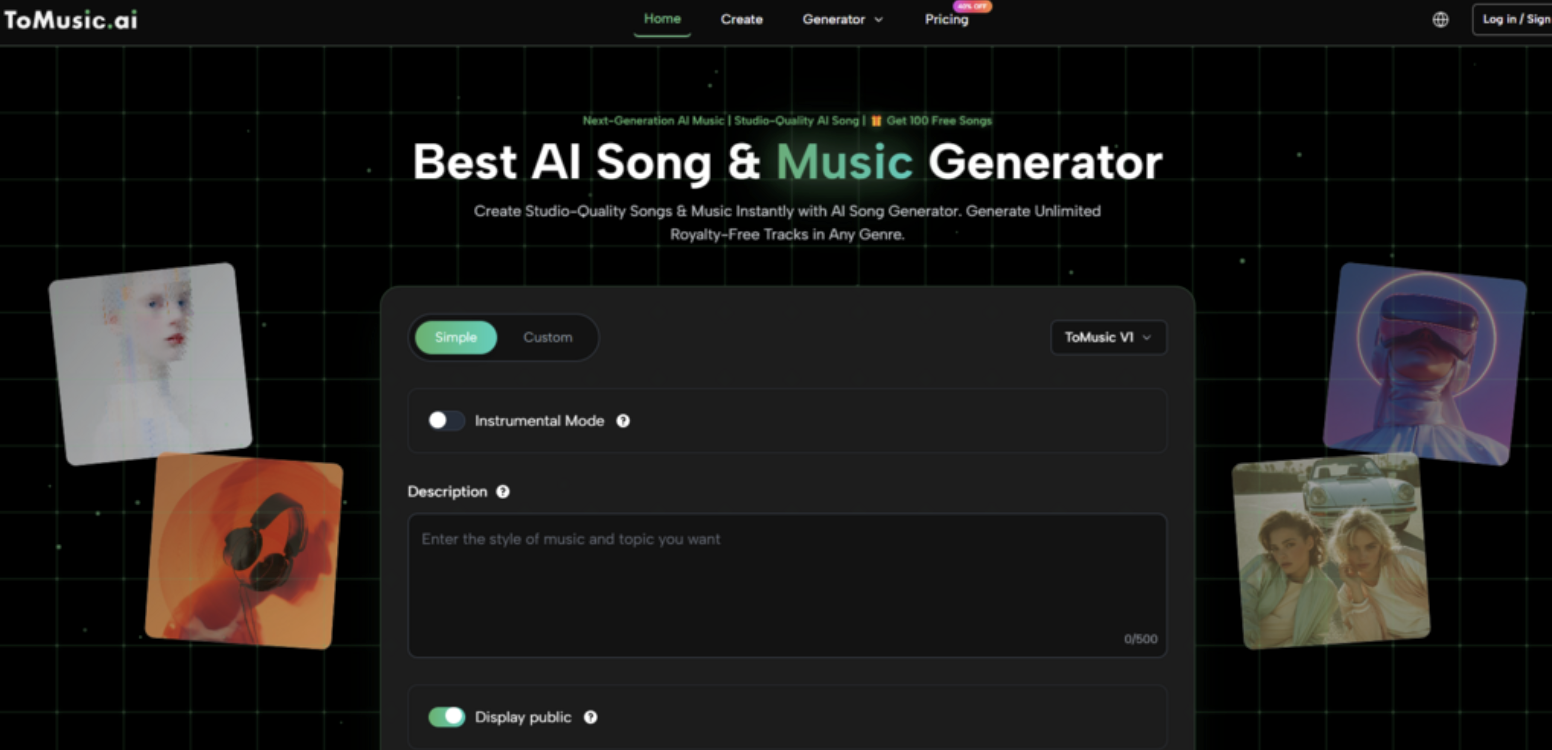
ToMusic AI’s simple mode handled scene-based prompts particularly well because it seemed designed for plain-language input. I didn’t need to specify instruments or tempo; I just typed my paragraph and hit generate. The output wasn’t always exactly what I’d imagined—in the “child’s first ocean” scene, the generated track felt a bit too sentimental, with a music-box melody that bordered on saccharine—but it was always recognizable as an attempt to answer the emotional brief. That felt like a conversation, even an imperfect one, rather than a form submission.
When I wanted more control, I could switch to custom mode and use the scene as a lyric or mood foundation while adding a tempo range or a specific instrument. This flexibility meant the tool grew with my ambition; I wasn’t locked into a novice lane, but I wasn’t forced into a pro one either.
The Generation Steps Behind the Atmosphere
The workflow that produced these scene-based tracks followed the same sequence visible on the ToMusic AI site:
-
Choose simple mode for pure scene-to-music translation, or custom mode to add precise musical parameters.
-
Paste your scene description, or a set of lyrics, into the prompt field, then optionally refine style, mood, and instruments.
-
Select one of the multiple AI music models, keeping in mind that some models lean more atmospheric and cinematic while others suit vocal-driven pop.
-
Generate the track, listen back, and save or download from the Music Library.
This straightforward sequence meant I could run five scene variations in twenty minutes, which encouraged the kind of playful experimentation that often leads to unexpected, happy results.
The Interpretive Gaps That Still Exist
Scene-based prompting exposed some consistent weaknesses. All platforms, ToMusic AI included, occasionally latched onto a single word in the prompt and over-emphasized it. In my “neon-lit street” scene, I mentioned rain once, and two of the five tracks included literal rain sound effects, which felt like an obvious cliché. I learned to avoid concrete sound-effect words unless I genuinely wanted them in the mix.
Emotional complexity also remained a challenge. A scene that combined nostalgia, relief, and a hint of regret—like “returning to your hometown after ten years and finding your favorite diner still open”—often produced music that leaned too heavily into one emotion, usually the most obvious one. The AI struggled with layered feelings, which isn’t surprising, but it did limit the depth of the resulting tracks.
Furthermore, the Music Library, while helpful for storing iterations, didn’t preserve the original prompt alongside the track. I had to keep a separate document linking each track to its scene description, which felt like a missed opportunity for a more integrated creative workflow.
Who Thrives with a Scene-First Approach to AI Music
This test convinced me that the ideal user for a tool like ToMusic AI isn’t necessarily a musician looking for shortcuts. It’s a writer, a filmmaker, a game designer, or a creative director who thinks in narratives and needs a musical sketch that matches a specific emotional palette. For them, the ability to type “the moment the protagonist realizes she’s been lied to, but also feels strangely free” and get back a track that at least gestures toward that complexity is a genuine creative amplifier.
Musicians may find the scene-based approach too loose and prefer the precision of custom mode with explicit chord and tempo controls. But for the rest of us, who experience music as a feeling first and a technical construction second, a platform that takes our messy, descriptive language seriously feels like a quiet kind of respect. ToMusic AI didn’t read my mind—no tool can—but it read my words carefully enough that I started to trust it with more ambitious scenes. That trust, built over a dozen rainy bookstores and empty subway platforms, ended up being the most useful thing I gained from the whole experiment.